
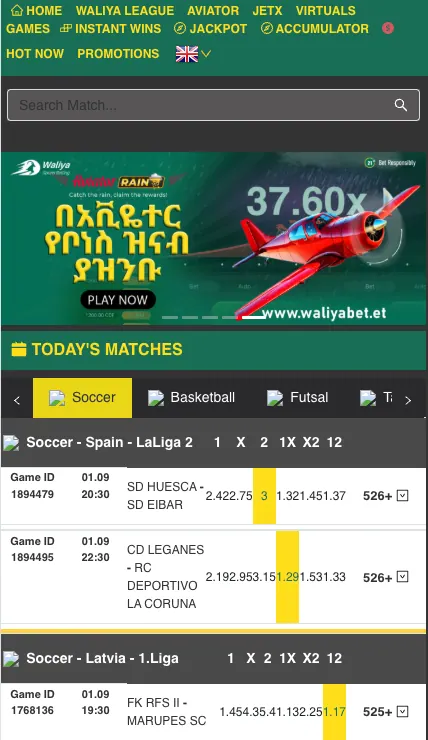
Opening an account on waliyabet.bet takes a couple of minutes and needs little more than a mobile number. This page walks through the sign-up form field by field, explains how to log in again later, and covers the usual account questions: forgotten passwords, changing details, and closing an account.
The site is an independent information resource about the Waliya Sports Betting brand. It is not the operator itself, so every action described below happens on the brand's own registration and login pages, which the buttons here lead to.
Players aged 18+ only
Who can register
You must be 18 or older. The form makes you confirm this with a tick box before the account is created, right next to the acceptance of the operator's terms. Registration is meant for players in Ethiopia, where amounts on the site are shown in birr (ETB).
One person, one account. Duplicate profiles under different names or numbers are the quickest way to get an account blocked, so use your own real details from the start.
How to register on Waliya Bet
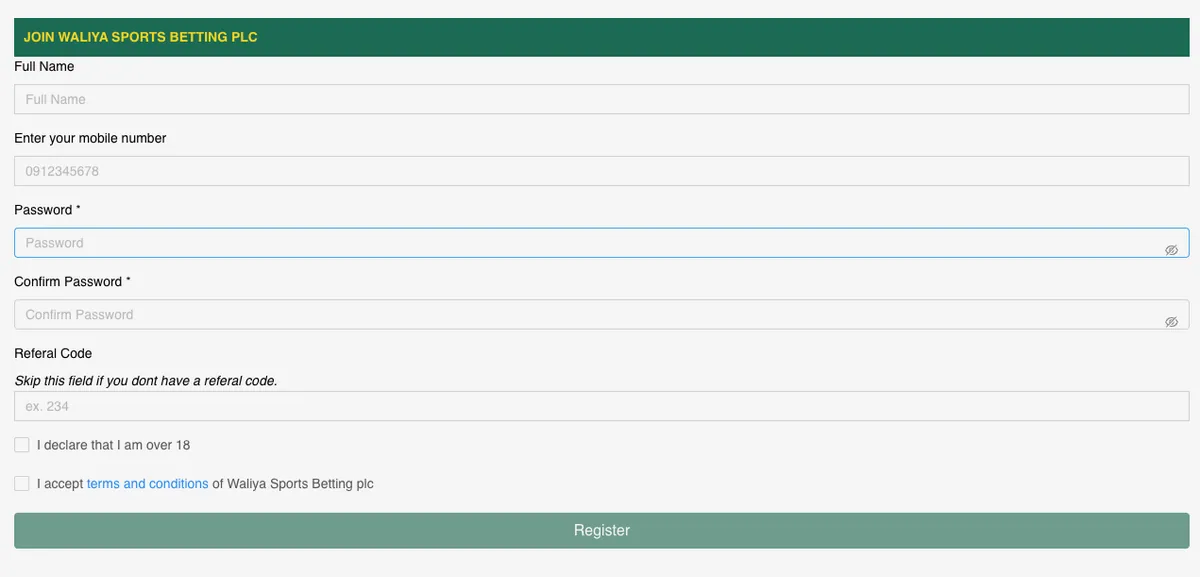
The form is short. Here is what it asks for:
| Field | What to enter |
|---|---|
| Full Name | Your name as it appears on your ID |
| Mobile number | An Ethiopian number in the format 09XXXXXXXX that you can access |
| Password | Your chosen password (hidden, with an eye icon to reveal it) |
| Confirm Password | The same password again |
| Referral Code | Optional. Leave it empty if nobody invited you |
| Age declaration | Tick to confirm you are over 18 |
| Terms and conditions | Tick to accept them |
Registration step by step
Open the registration page
Press Register on this site or in the header. The form shown above opens.
Fill in your details
Type your full name and mobile number. Use the name that matches your documents, because it can matter later at withdrawal.
Set a password
Enter it twice. Use the eye icon to check you typed it correctly.
Add a referral code, if you have one
The field is optional. If you were not invited, skip it.
Confirm and submit
Tick the 18+ declaration and the terms box, then press Register.
Once the account exists, you can make a first deposit. The available methods, such as Telebirr, CBE Birr and eBirr, are listed on the Payments page. A new player may also want to read the welcome offers on Bonuses before depositing, since terms such as wagering are best known in advance.
Check the address
Enter your details only on the operator's real registration page. Never send your password or any codes to anyone who contacts you in a chat or by phone.
Logging in
Players search for this in many ways: waliya bet login, waliya bet login password, the mobile version, even old waliya bet login. They all lead to the same thing. You sign in with the mobile number and password chosen at registration.
- Open the site on your phone or computer and press Login in the header.
- Enter your mobile number.
- Enter your password. The eye icon shows what you typed.
- Press the login button.
The mobile site works in any browser. If you prefer an icon on the home screen, the Android app uses the same account, so nothing has to be created twice. Details are on the App page.
Login problems and password recovery
Most failed logins come down to a handful of causes:
- Wrong number format. Use the same format you registered with, for example 09XXXXXXXX.
- Typo in the password. Passwords are case-sensitive; reveal it with the eye icon before pressing the button.
- Autofill with an old password. Browsers sometimes keep a previous one. Clear it and type the current one.
- Weak connection. Reload the page or switch between mobile data and Wi-Fi.
- Old bookmark. Open the site again from this page instead of a saved link that may be outdated.
If you forgot the password, use the recovery link on the login form. Should that not work, contact the operator's support through the channels listed on the site. Support will ask you to prove the account is yours, so have the registered number and name ready.
Account verification
Operators licensed to take bets usually ask players to prove their identity and age, most often before the first withdrawal. Expect to be asked for a photo of an official ID that matches the name on the account. The exact list of documents and the processing time are set by the operator and can change, so follow the instructions shown inside your account rather than a third-party summary.
The practical advice: register with your real name from the start, and complete verification before you need to cash out a larger win. It saves the wait later.
Managing your account
Once you are in, a few things come up again and again.
- Changing your phone number or personal data. Because the number doubles as the login, it is normally changed through support after identity checks, not by editing a field.
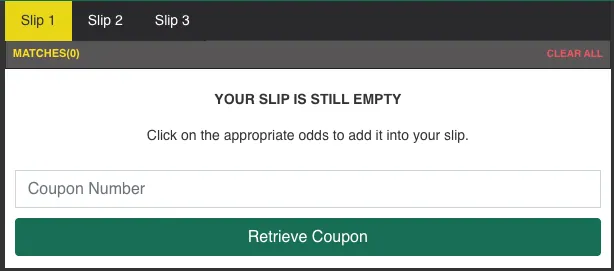
- Bet history. Settled and open bets are kept in your account; for how sports bets work, see the Sport page.
- Closing or deleting the account. Ask support in writing from the registered contact. Withdraw your balance first.
- Taking a break. If gambling stops being fun, ask the operator for a time-out or self-exclusion. Help organisations are listed in the site footer.
Keeping the account safe
- Pick a password you do not use anywhere else, with letters, digits and a symbol.
- Never share the password or any code with another person, including someone claiming to be staff.
- Log out on shared devices.
- Keep your phone number under your control; whoever holds the SIM can try to reset the account.
After signing up you can head to Sport or Casino from the main menu, or go back to the home page for an overview of the brand.
Frequently asked questions
How do I register on Waliya Bet?
Open the registration form, enter your full name, mobile number and a password twice, optionally add a referral code, tick the 18+ and terms boxes and press Register.
What do I need to sign up?
A mobile number you can use, your real name, a password and confirmation that you are over 18.
How do I log in to Waliya Bet?
Press Login, enter the mobile number and password from registration, then confirm. The same details work on the website and in the app.
I forgot my password. What now?
Use the password recovery link on the login form. If it does not help, contact support with your registered number and name.
Can I change my phone number?
Since the number is used for login, changes usually go through support after identity checks.
Do I need a referral code?
No. The field is optional and can be left empty.
Is verification required?
Operators commonly request ID before withdrawals. Follow the instructions in your account for the current requirements.
How can I close my account?
Contact support from your registered details and ask for closure. Withdraw any balance beforehand.